 EasyRing
Big buttons. One tap to call. No ads, ever.
EasyRing turns an iPhone into a simple, senior-friendly phone — giant labeled buttons, one-tap calling to the people who matter, and a dedicated SOS button for emergencies. Set up once by a family member, used every day by someone you love.
- No ads of any kind
- One-time Pro price, no subscription
- Contacts never leave the device
EasyRing
Built for the person who needs it most
Every screen uses big, clearly labeled buttons — no icon-only menus, no hidden gestures.
Big Button Home Launcher
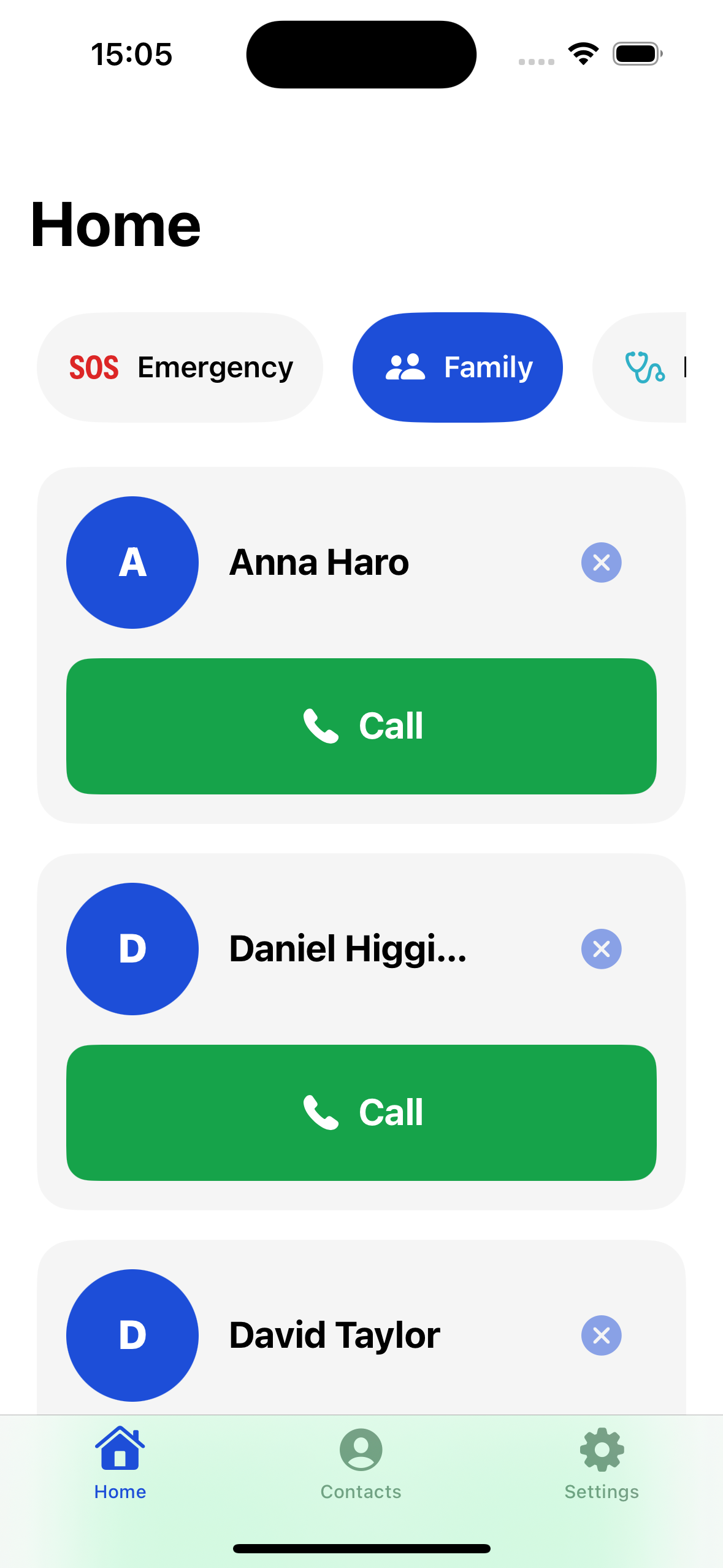
Call, Text, Camera, and Photos as giant, clearly labeled buttons — plus pinned contact photos below. Tap a photo, the call starts. No confirmation screen.
SOS Emergency Button
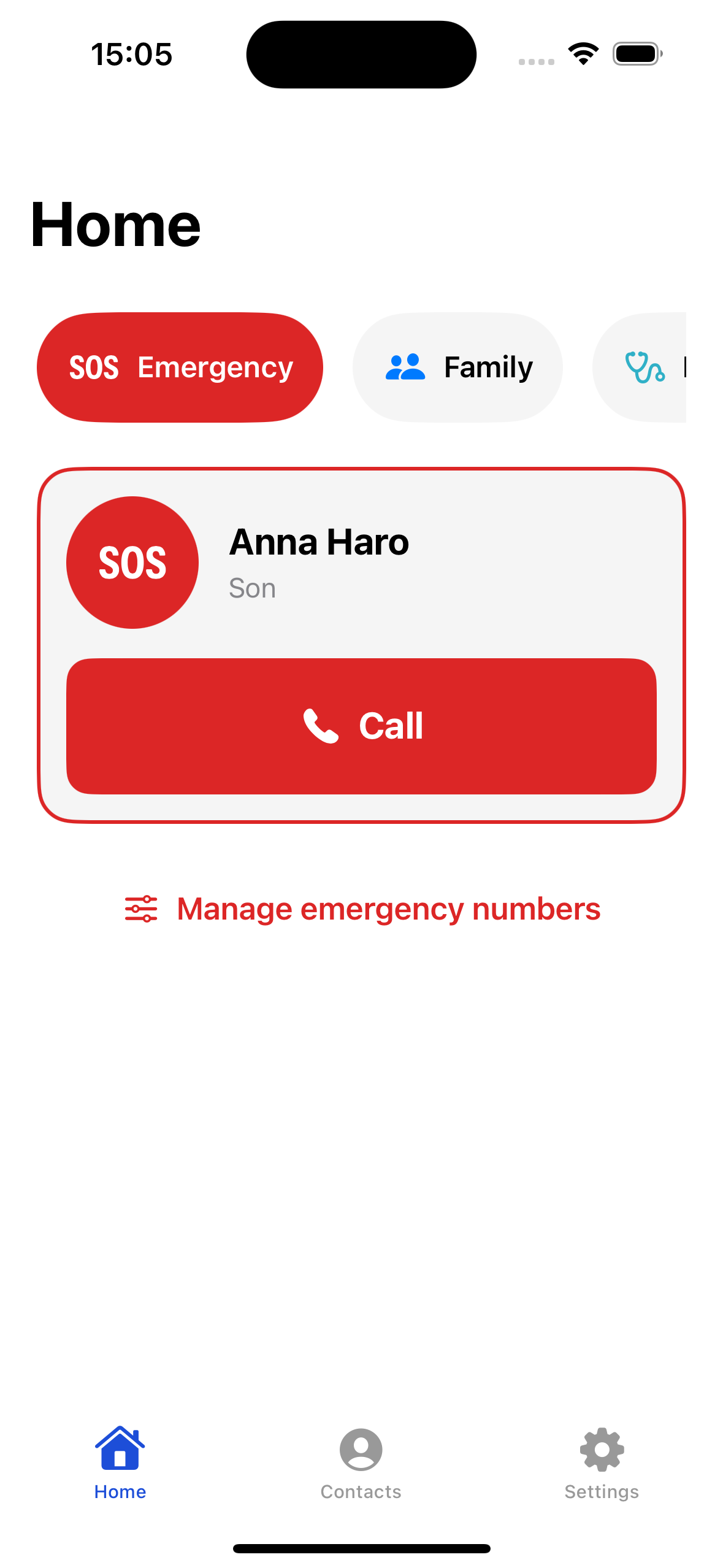
Always visible on Home, separate from the regular contact list. One tap dials the primary emergency number — additional numbers with labels like "Son" or "Doctor" are one tap deeper.
Live Photo Contacts
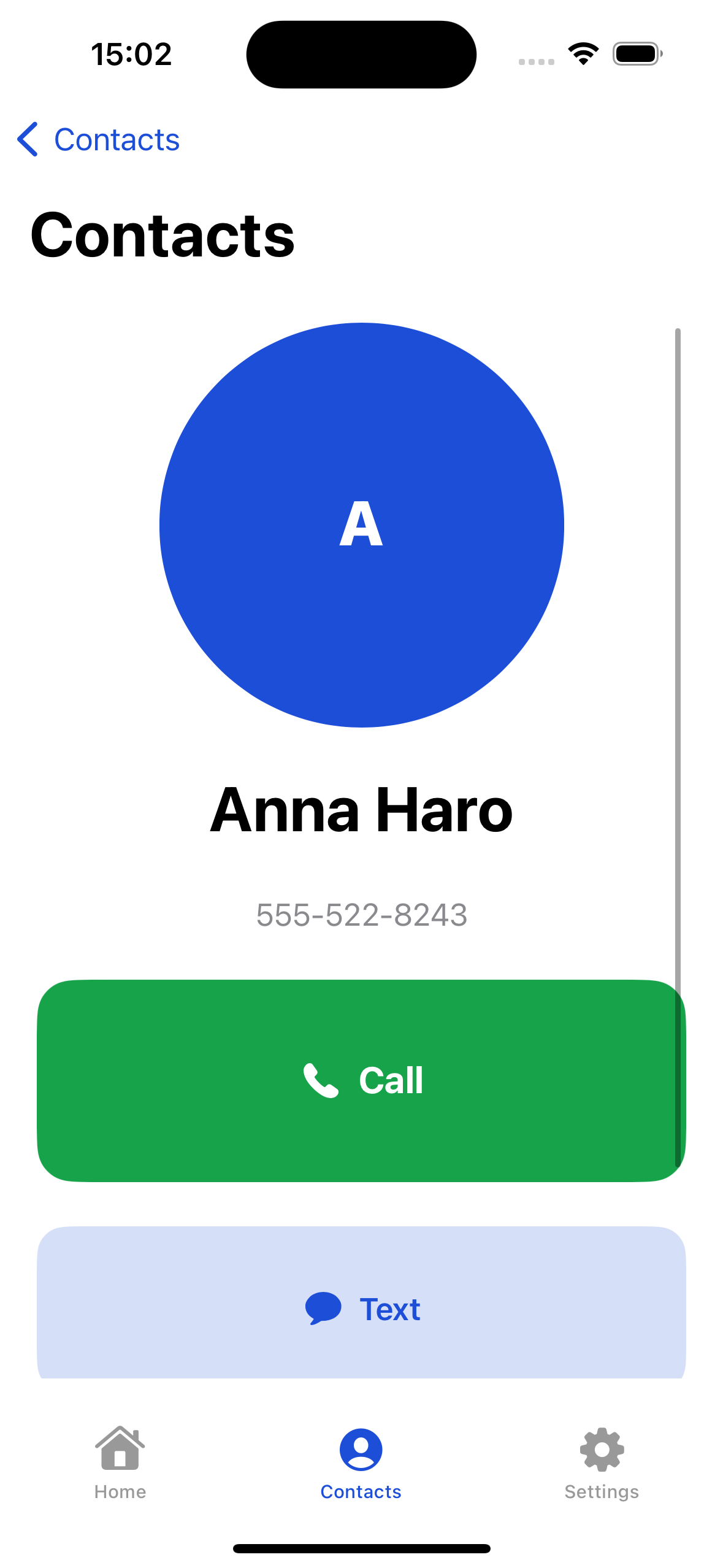
Reads directly from your existing Contacts app — large photo and name per row, tap to call. Nothing is ever copied or duplicated into EasyRing's own storage.
Live Voice Captions
On-device speech recognition shows large captions of what the other person is saying during a call — processed entirely on the phone, never sent anywhere.
Messages Read Aloud
Incoming text messages are read aloud automatically — helpful for anyone who finds reading small text on a screen difficult.
Font & Button Scale
A single app-wide slider makes text and buttons larger than the system maximum — layered on top of iOS Dynamic Type, not fighting it.
The EasyRing experience
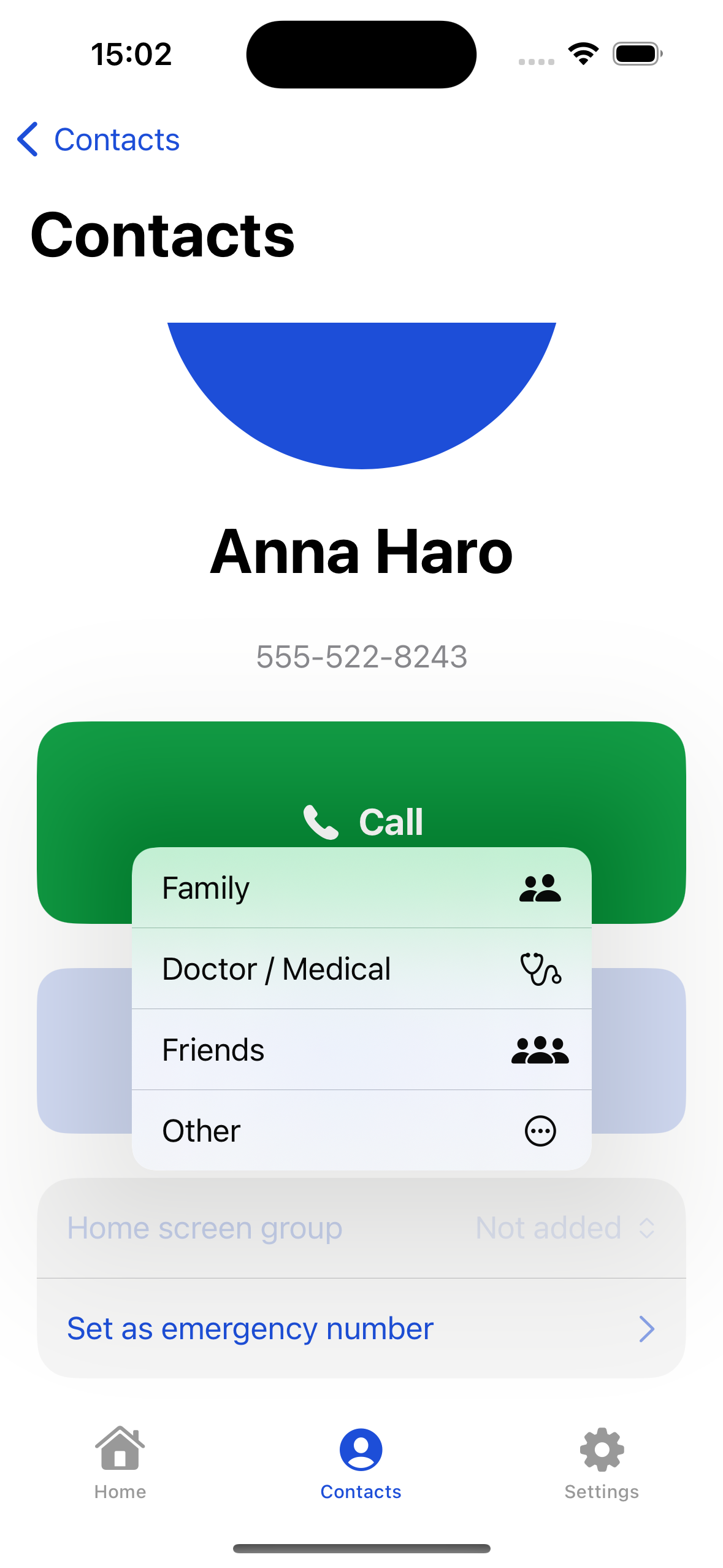
Real screens from the app running on iPhone.
Family Setup Mode — because the buyer isn't always the user
An adult child usually sets up this app for a parent — and no competitor treats that as a first-class flow. EasyRing does.
- A named, guided setup — not a buried Settings toggle.
- Import and pin contacts, then set emergency numbers.
- Choose the default font/button scale and language together.
- Re-enterable any time from Settings, not just on first launch.
Three taps to a finished call
No sign-up, no confirmation dialogs standing between "I want to call Mom" and actually calling her.
Open EasyRing
Home Launcher appears instantly — no loading screen, no catalog to sync.
Tap a photo
Every pinned contact is a large photo tile. Tapping it is the only step.
The call starts
EasyRing opens the phone's own dialer — the same reliable calling you already trust.
Your contacts never leave your phone
EasyRing has no backend, no account, and no analytics SDK. It exists to make one thing simple: calling someone you care about.
- No server, no account, no cloud sync — 100% on-device.
- Contacts are read live; nothing is copied into app storage.
- Voice captions and text-to-speech run entirely on-device.
- Calls always go through the system dialer, never through us.
One honest price. No surprises.
Free to start, with lock badges shown before you ever tap a Pro feature — never after.
Unlimited pinned contacts & emergency numbers, live voice captions, message read-aloud, and extra themes — unlocked once, forever. No ads, not even opt-in ones.
Download on theApp StoreSet it up for someone you love in minutes
Download EasyRing and start with Family Setup Mode — free to try, one honest price to unlock everything.
Download on theApp Store